A virtual courtyard can look convincing from a distance and strangely small when the camera comes close. ambientCG publishes PBR materials, HDRIs and 3D models. Start with one surface on a simple plane so you can judge its size and how the pattern repeats.
Pick a small package for your first preview
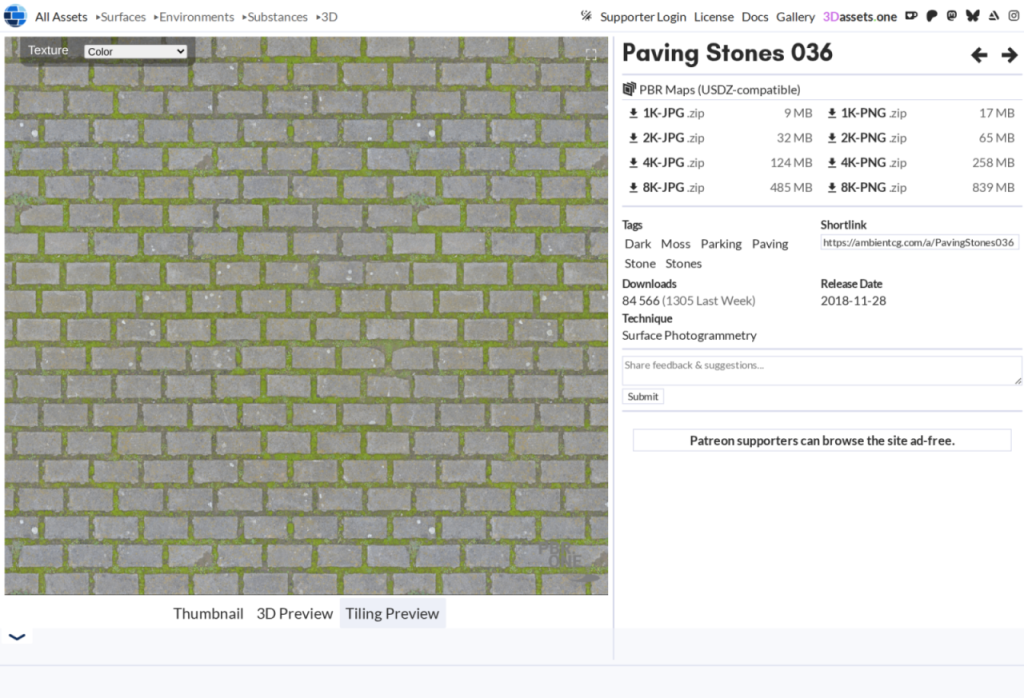
Open Paving Stones 036. Its entry has a material image, 3D Preview and Tiling Preview. Look at the repetition in the tiling view, then choose one of the smaller packages from PBR Maps to try. The listing offers JPG and PNG packages at several resolutions, so a first comparison can use less data than a close-up final render.
On your test plane, apply the material’s maps using your 3D program’s PBR inputs. Look from roughly the angle you plan to use. Compare the size of the stones with something of known size in the scene. Correct the scale before worrying about resolution. Move the camera closer if you need to see whether more texture detail will matter.
Keep the asset entry with your scene notes
The ambientCG license page states that its downloadable asset files and material previews use Creative Commons CC0 1.0, which allows use and adaptation, including for commercial work. Saving the exact asset link is still useful when you need to replace or identify a file.
If the surface works, continue browsing ambientCG for related materials. The site also organizes HDRIs for environments and 3D models. One checked surface gives you a useful reference before you bring more assets into the scene.