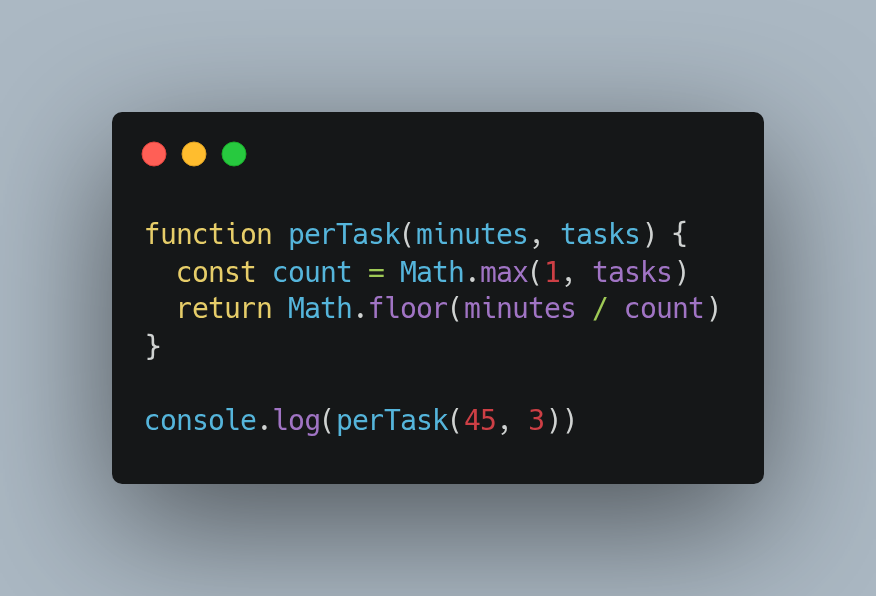
Carbon makes a styled image from a snippet of source code. It’s useful when you want to show a few lines in a slide or article where the normal code block would be hard to read.
Trim the snippet before choosing a theme
Paste a short example you can share into the editor. Leave out any private URLs or data and keep the lines that explain the idea. Choose the language for syntax highlighting, then set a theme and background that make the code readable. Check the longest line at the size you’ll display it. If it will look small on a projector, simplify the example before exporting.
A short JavaScript example exported as a PNG in Carbon. The example gives each of three tasks 15 minutes.
Export offers PNG and SVG. Use PNG for a tool that expects an ordinary image. SVG is an option if your publishing tool supports it and you need flexible sizing. Carbon also documents copying an image through Copy. Add a caption for the main idea and include the code as text when readers should be able to copy or run it. Carbon’s export and sharing guide